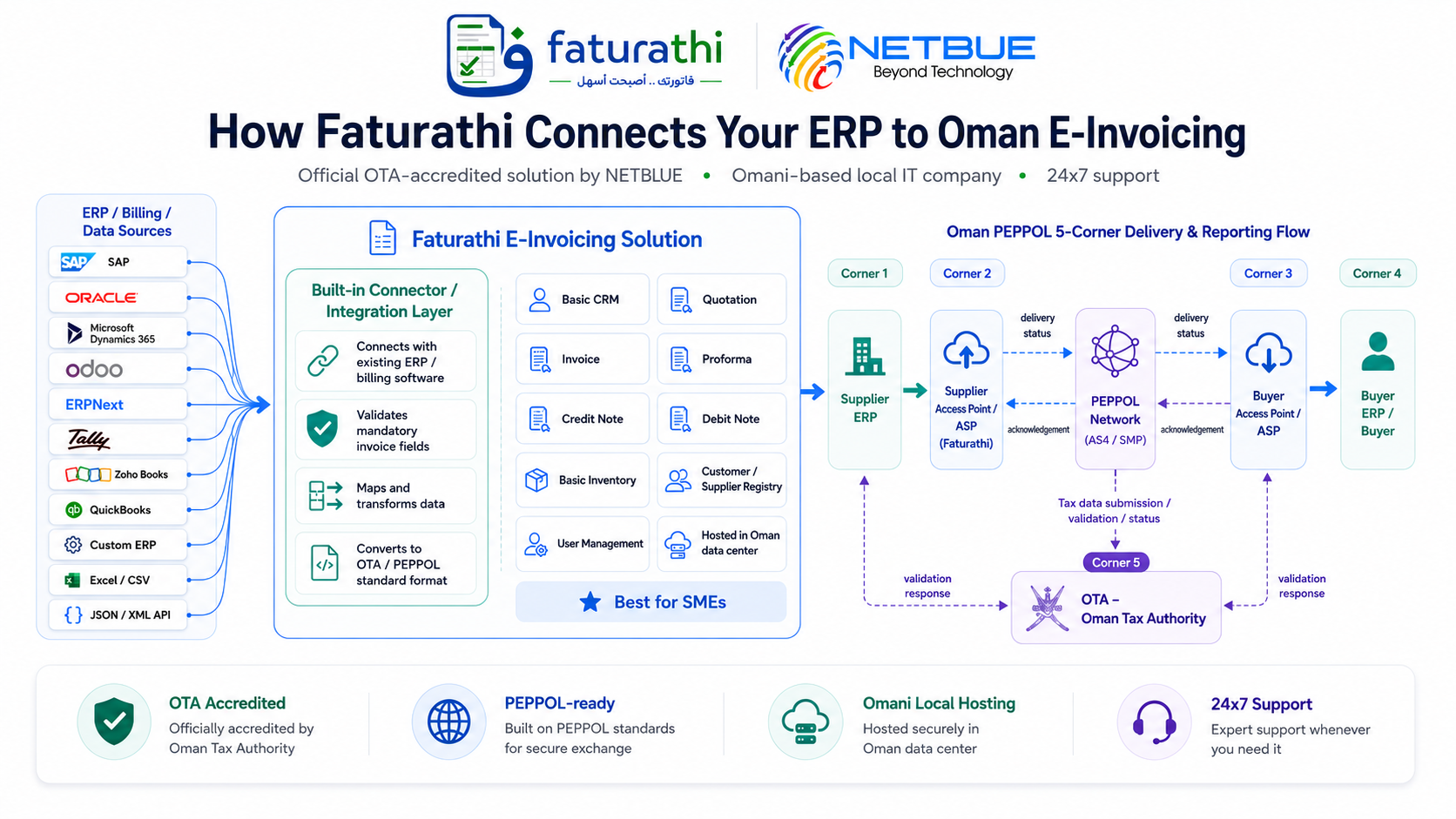
Supplier ERP
ERP / billing system creates invoice data.

Faturathi receives ERP invoice data, validates it, converts it to the required format, sends invoice data through PEPPOL, and reports tax data to OTA.
ERP / billing system creates invoice data.
Validate, transform, route, submit, and track status.
Secure invoice exchange between access points.
Buyer receives invoice and delivery acknowledgements are returned.
Tax data document submission, validation response, status, and reporting audit trail.
Invoice data can be spread across ERP, POS, billing systems, spreadsheets, and custom databases.
Mandatory and conditional OTA/PEPPOL invoice fields must be validated before submission.
Tax category, amount, rounding, currency, and totals need strict validation to avoid rejection.
Validation rules, schemas, reporting formats, and OTA requirements may evolve over time.
SMP lookup, AS4 delivery, buyer access point routing, and status responses must be managed properly.
Failed validations, MLS responses, retries, and audit logs should be visible to operations teams.
Review current invoice sources, VAT logic, data quality, and integration options.
Map ERP output to required OTA/PEPPOL invoice structure and validation rules.
Connect API, SFTP, CSV, Excel, JSON/XML, or custom data extraction to Faturathi.
Activate PEPPOL/OTA reporting workflow with monitoring, support, and audit logs.